Convert PDF to MD File: Check Your Output Before Reuse
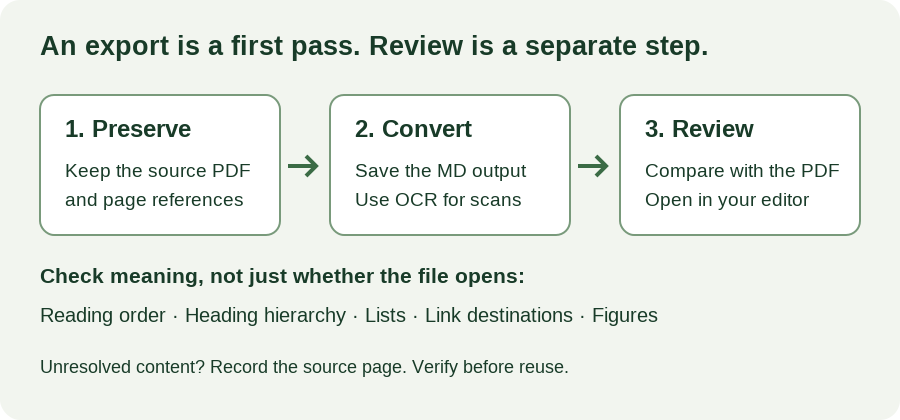
After converting a PDF to Markdown, open the saved .md beside the original and check reading order, headings, lists, links and figures. Start with the sections you will quote, publish or put into a knowledge base. Use the checklist below to locate a problem and choose the next repair.
If you still need the first conversion, open the browser converter. Use its separate OCR step for eligible pages with no extracted text.
Read a complete passage in source order
Follow a paragraph through the end of a column or page. Look for a right-hand column inserted into a left-hand sentence, a running footer in the body, or a caption interrupting a paragraph.
When you find a break, locate the affected block in the PDF and move or re-extract that text. For a tagged source PDF, Adobe's accessibility guide explains the Tags and Reading Order panels, which can help inspect its source structure.
For example, a section ending on page 3 should continue with its next sentence on page 4, rather than a repeated document title. Check the actual passage across that boundary before removing the title.
Read only the headings
The heading lines should form a sensible outline. Correct repeated document titles and misplaced subsection levels. A larger font in the PDF may be a callout rather than a section heading.
These markers express different levels:
# Installation
## Windows
### Troubleshooting
Open the result in your intended reader and inspect its outline. The CommonMark reference covers the basic heading, list and link syntax.
Follow one list and the important links
Choose a nested or numbered list. Confirm that each item remains under the right parent and that its sequence still makes sense. Missing indentation can change which instruction a condition applies to.
Open the links readers need, including citations and form destinations. Check both the visible label and target. If the output uses reference-style links, find the matching definition too.
Keep figures with their captions
Compare a meaningful figure with its caption and source page. Words extracted from a diagram do not preserve its arrows or spatial relationships.
Our converter can include whole-page PNG references when the image option is enabled before conversion. Download the ZIP and keep document.md beside images/. Those images provide the original page view; they do not isolate individual figures or recognize the words in a scan.
Keep a source-page note for any missing content. For values in tables, follow the table guide.
Use this final checklist
- Reading order: a full paragraph and its page or column transitions follow the PDF.
- Headings: the outline preserves section relationships.
- Lists: item membership, nesting and sequence remain clear.
- Links: required labels open the intended destinations.
- Figures: required visual content and captions are present, with working file paths.
- Unresolved text: each item has a source-page reference and remains marked for correction.
For a short document, review every page. For a longer one, a small check can expose recurring problems, but review all passages required by the task before relying on them.
Match the repair to the problem
If the text is absent on an image-only page, use the OCR workflow. If the final pages appear missing only in preview, check the full saved export. If the words are present but interleaved, focus on layout and reading order rather than rerunning OCR.
Use the main PDF-to-Markdown guide when choosing another conversion route. Hosted alternatives include CloudConvert and the workflow described by iLovePDF; apply the same checks to their output.
Sources and review: CommonMark syntax and Adobe's reading-order documentation linked above. This is an editorial checklist, not a measured comparison of converters. Reviewed October 26, 2026.