Batch PDF to Markdown in Python: Keep a Manifest Before You Scale
For a folder of PDFs, run Docling in a sequential Python loop and save a manifest beside the Markdown files. The manifest lets you find failed conversions and partial results without opening every file to discover what happened.
Start with a small folder covering the document types you actually have: ordinary text, scans and any unusual tables or columns.
Prepare the input and output folders
Install Docling using its official instructions. Keep inputs and outputs separate:
project/
  convert.py
  pdf-input/
    team-a/report.pdf
    team-b/report.pdf
  markdown-output/
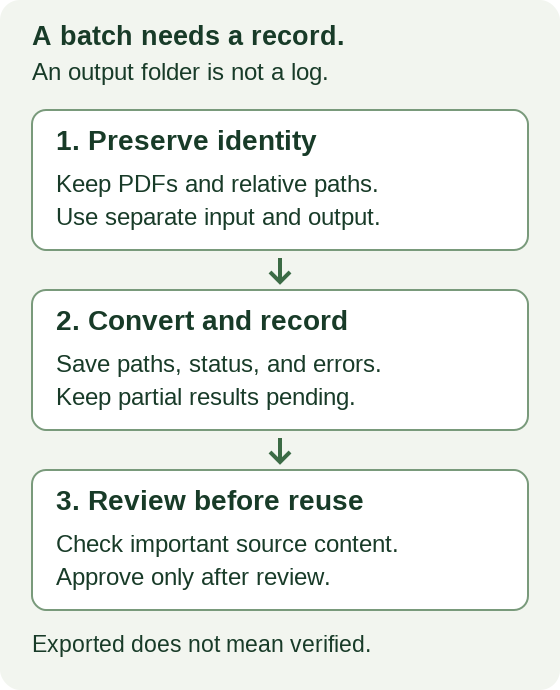
Save the script below as convert.py in project/ and run it there. It preserves relative folders, so the two report.pdf files become separate Markdown files. Each manifest entry records its source, target, conversion status and errors; exported documents remain pending review.
Run the sequential conversion
import json
from pathlib import Path
from docling.datamodel.base_models import ConversionStatus
from docling.document_converter import DocumentConverter

inputs = Path("pdf-input")
outputs = Path("markdown-output")
outputs.mkdir(parents=True, exist_ok=True)
converter = DocumentConverter()
records = []

for source in sorted(inputs.rglob("*")):
    if not source.is_file() or source.suffix.lower() != ".pdf":
        continue
    target = outputs / source.relative_to(inputs).with_suffix(".md")
    record = {"input": str(source), "output": str(target)}
    try:
        result = converter.convert(str(source), raises_on_error=False)
        record["status"] = str(result.status)
        record["errors"] = [str(item) for item in result.errors]
        if result.status in (ConversionStatus.SUCCESS, ConversionStatus.PARTIAL_SUCCESS) and result.document is not None:
            target.parent.mkdir(parents=True, exist_ok=True)
            target.write_text(result.document.export_to_markdown(), encoding="utf-8")
            record["review"] = "pending"
        else:
            record["review"] = "conversion failed; no output approved"
    except Exception as error:
        record.update(status="exception", error=str(error))
    records.append(record)
    (outputs / "manifest.json").write_text(
        json.dumps(records, indent=2), encoding="utf-8"
    )
Run it with:
python convert.pyAfter a normal run, markdown-output contains the exported files and manifest.json. A partial conversion may still produce Markdown, so read its status and errors before using that file. Docling's batch example distinguishes successful, partial and failed results; its converter reference describes the error-result behavior used here.
Make repeat runs deliberate
Use a fresh sample output directory first. This minimal script overwrites matching target files and starts a new manifest each run. It does not resume an interrupted job. A failed run may also leave an older output file in place; the current manifest, rather than the presence of an .md file, tells you what the latest run produced.
Before turning it into a recurring job, add a source fingerprint, configuration record and explicit overwrite policy. Those let you distinguish a changed PDF from a retry of the same input. Preserve previous outputs until replacements are reviewed.
Handle the failures before increasing concurrency
Read manifest.json and group the next actions by cause:
- Installation or model error: correct the environment, then rerun the affected input.
- Partial document: inspect the reported failures and corresponding source pages.
- Wrong reading order or table structure: compare that layout with another extraction route on the same pages.
Keep the exact errors for troubleshooting. Increase concurrency only after observing memory and processing behavior on your documents.
For scans, configure the OCR workflow. For local parser setup issues, see the main guide.
Keep a review queue beside the files
Before putting the output into a knowledge base, check the passages and data your application will use. Retain source paths and page references so readers can return to the PDF. The output checklist covers document structure, and the table guide covers row, column and unit relationships.
Sources and review: Docling installation, batch conversion and API documentation linked above. Reviewed October 26, 2026. This wrapper is syntax-checked; it has not been run against a PDF collection for this article.